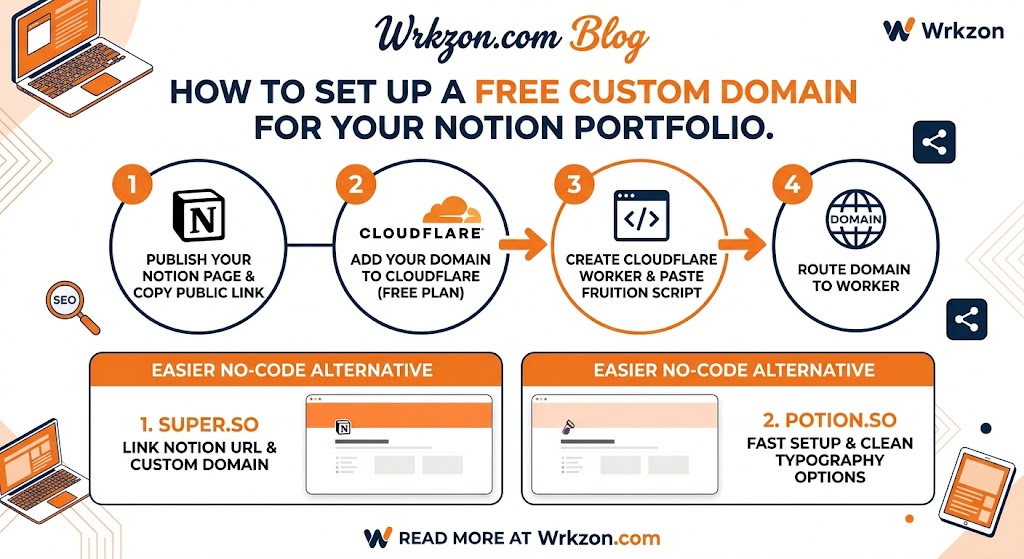
In our previous guide, we covered how to build and launch a high-converting portfolio in under 10 minutes using Notion. However, sharing a default URL like notion.site/yourname-123456 can look unpolished on job applications and client proposals.
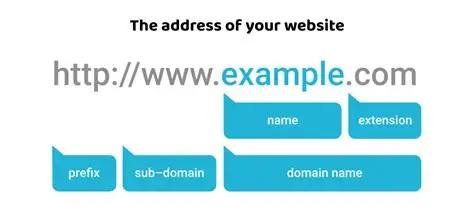
A custom domain (e.g., yourname.com or portfolio.yourname.com) builds immediate trust, improves SEO, and projects complete professionalism.
The good news? You do not need to pay for expensive third-party site builders or hosting services to map your custom domain to Notion. In this step-by-step continuation, we will explore how to connect a custom domain to your Notion portfolio 100% free using Cloudflare Workers and alternative free site builders.
Method 1: The Cloudflare Workers Route (100% Free & Customizable)
Cloudflare Workers allow you to run lightweight code at the edge. By using a free worker script, Cloudflare acts as a reverse proxy, taking requests from your custom domain and displaying your Notion page seamlessly—without changing the URL in the browser address bar.
Step 1: Set Up Your Notion Page
- Open your Notion portfolio page.
- Click Share in the top-right corner and select Publish to Web.
- Copy the public link (e.g.,
https://yourname.notion.site/My-Portfolio-1234567890).
Step 2: Add Your Domain to Cloudflare
- Sign up for a free account at Cloudflare.com.
- Click Add a Site and enter your custom domain name.
- Choose the Free Plan.
- Update your domain registrar’s DNS settings to point to Cloudflare’s assigned nameservers.
Step 3: Create a Cloudflare Worker
- In your Cloudflare Dashboard, navigate to Workers & Pages > Create Application.
- Name your worker (e.g.,
notion-portfolio) and click Deploy. - Click Edit Code to replace the default script with a free open-source reverse proxy snippet (such as the popular Fruition script or lightweight Notion proxy worker scripts available on GitHub).
- In the script code, set your configuration variables:
MY_DOMAIN:yourdomain.comSTART_PAGE_LINK: Your public Notion link copied in Step 1.
- Click Save and Deploy.
Step 4: Route Your Domain to the Worker
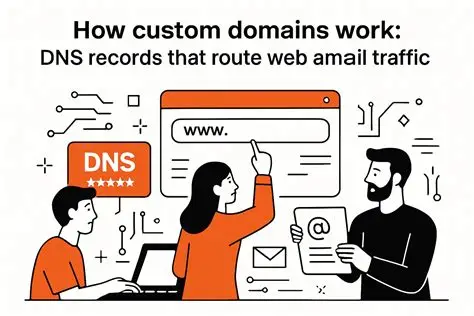
- Go back to your domain dashboard in Cloudflare.
- Select Workers Routes > Add Route.
- Set Route to
yourdomain.com/*(andwww.yourdomain.com/*if applicable). - Select your newly created worker script from the Worker dropdown menu.
- Save the route. Your custom domain is now live and serving your Notion page directly!
Method 2: Free Site Builder Platforms (Easiest Non-Technical Setup)
If you prefer a no-code, one-click solution without manually configuring DNS workers, several platforms offer free tiers to wrap Notion pages with custom branding.
1. Super.so
- Best For: Instant setup with optimized SEO.
- How it Works: Create a free account on Super, paste your Notion public URL, and link your custom domain through their dashboard interface.
- Key Benefit: Provides built-in mobile responsiveness and fast page caching out of the box.
2. Potion.so
- Best For: Fast setup with clean typography options.
- How it Works: Connect your Notion page URL and follow their step-by-step DNS record generator (
CNAMEandArecords) to connect your domain.
3. Feather.so
- Best For: Turning Notion workspaces into clean, blog-style personal sites.
- How it Works: Maps Notion databases directly to custom domains with built-in layout management.
Optimizing Your Custom Domain for Search Engines (SEO)
Once your domain is connected, ensure your portfolio gets indexed and looks great when shared across social platforms like LinkedIn and Telegram:
- Meta Title & Description: Set a clear title block in your proxy script or site builder (e.g., "Daniel Aweke | Full-Stack Developer & Content Strategist").
- OpenGraph Preview Image: Choose an image thumbnail that renders automatically when sharing your link on social channels.
- Favicon Customization: Replace the default Notion icon with a custom personal logo or avatar.
Ready to Land Your Next Role?
Pairing a custom domain with an organized Notion portfolio gives you an immediate edge in remote hiring processes.
- Looking for new client projects or remote roles? Check out verified listings on Wrkzon Jobs.
- Need a polished, ATS-compliant CV to go with your portfolio? Build your resume instantly on Wrkzon CV Maker.

Comments (0)
No comments yet. Be the first to comment!